
Buying Scrap Computer Parts in Canada | Ohata Shoji Canada Inc.
Last updated: 2026-04-02 08:00 - based on current market conditions.
| Item Name | Scrap Price (Tax Incl.) |
|---|---|
| Computer scrap (desktops, laptops) | 0.40 CAD / lb |
| Mixed CPU (Black) | ⇧ 37.00 CAD / lb |
| Mixed CPU (Green) | 7.50 CAD / lb |
| PC Motherboards | 3.30 CAD / lb |
| PC Memory Grade A | 42.00 CAD / lb |
| Hard Disk Drives | 0.30 CAD / lb |
| PC Drive (CD/DVD) | 0.25 CAD / lb |
| Built-in Power Supply (for PC) | 0.45 CAD / lb |
| CPU Ceramic (Purple) | ⇧ 75.00 CAD / lb |
| PC memory Grade B (with Aluminum Cover) | 16.00 CAD / lb |
Ohata Shoji Canada Inc. buys scrap computer parts at the Ohata Shoji Canada Recycling Yard in Delta, BC, Canada. We evaluate material based on the type of components, overall condition, and how the items are prepared (mixed, complete, or separated). Working or not, we buy eligible items as scrap for recycling. Please contact us for a current quote.
Scrap Computer Parts we buy
we buy scrap computer parts such as CPUs (central processing units), memory, and motherboards. We do not buy these for reuse as computer parts, so we can purchase items even if they are older, unusable, or non-working (broken).
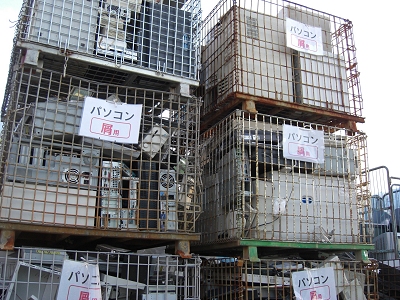
Scrap computers
CPUs, motherboards, memory, and other components contain small amounts of precious and rare metals such as gold (Au), silver (Ag), and palladium (Pd). These metals can be recovered and recycled.
Computer Categories We Commonly Receive
Computers are generally grouped into desktop and laptop types. Laptops are smaller than desktops and often use smaller components. Servers are also common; while the form factor differs, the basic construction is similar.
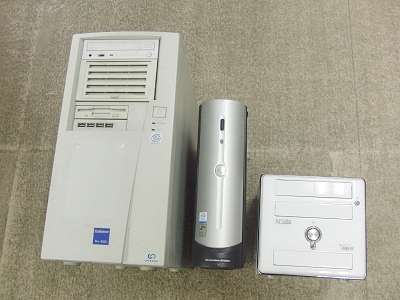
Desktop computers
(From left: Tower, Slim, Cube)
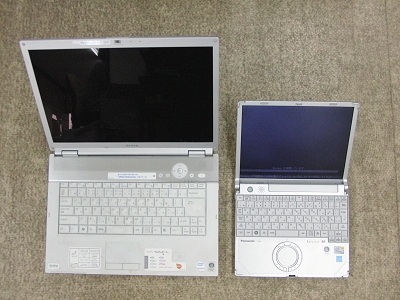
Laptop computers
(From left: Desktop, Mobile)
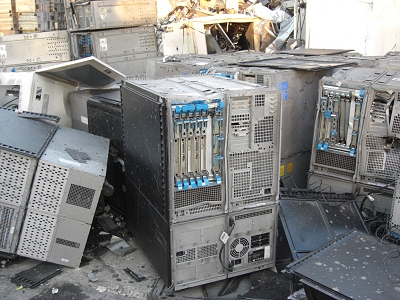
Servers
Servers (Relatively Large)
Desktop computers come in tower (full tower and mid-tower) and smaller formats (slim and cube). Laptop computers range from larger models to smaller mobile types. Servers are commonly tower or rack-mount (thin) units.
Typical Desktop PC Structure
Below is a basic look at a desktop computer (tower) structure as an example.
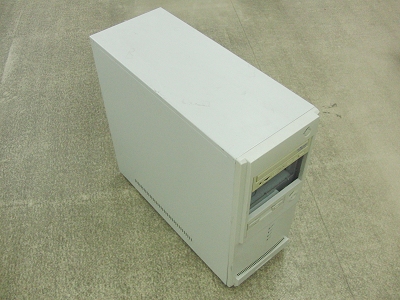
Desktop PC (Tower Type)
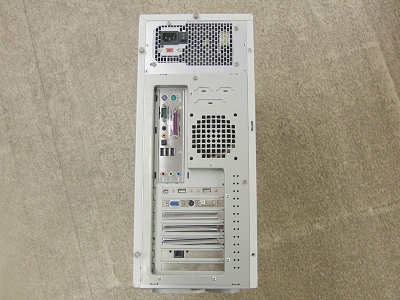
The back panel shows various connectors.
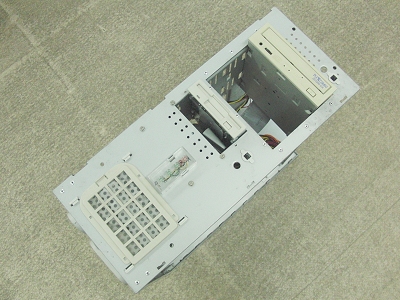
The optical drive and floppy disk drive are visible on the front.
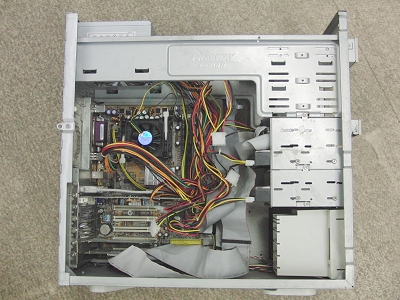
Removing the side panel reveals the motherboard and various components.
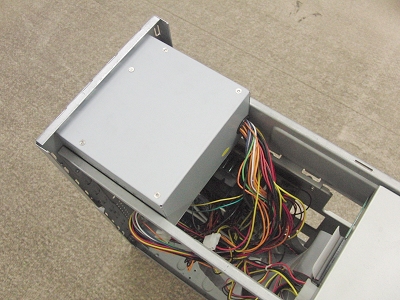
The built-in power supply is visible at the top rear.
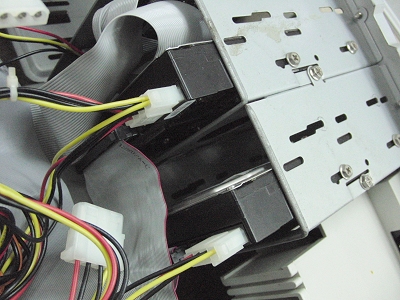
Two hard drives are visible in the 3.5-inch bays at the front of the case.
Below, we explain each major part of the PC.
CPU
CPU stands for Central Processing Unit. It performs calculations and processing, and every PC has at least one CPU. Intel and AMD are well-known manufacturers.
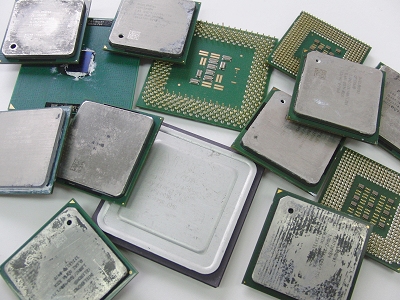
CPU (Central Processing Unit)
There are many types of CPUs with different shapes. Below is an example of removing a CPU from a Socket 478.
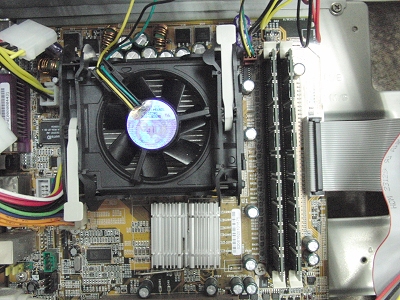
CPUs generate heat, so they have a fan.
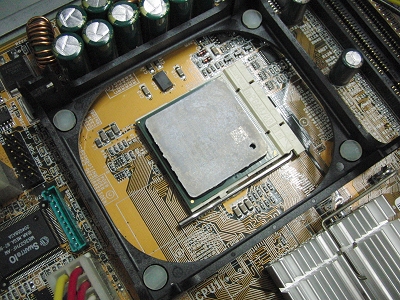
Removing the fan reveals the CPU.
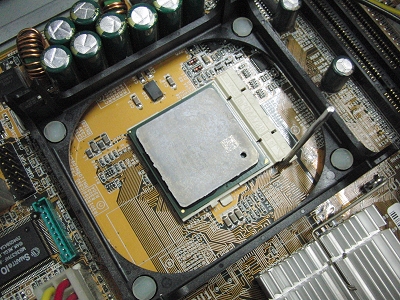
Raise the lever to unlock.
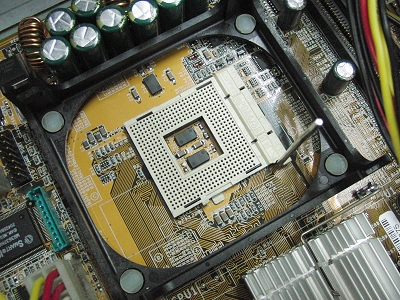
Pull the CPU out of the CPU socket.
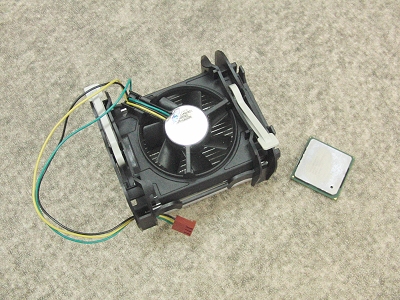
Removed fan and CPU.
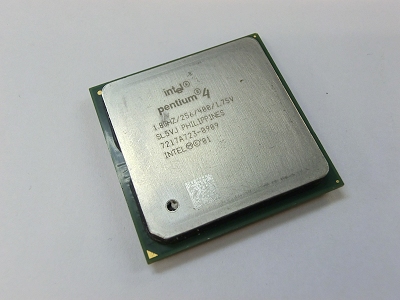
Removed CPU.
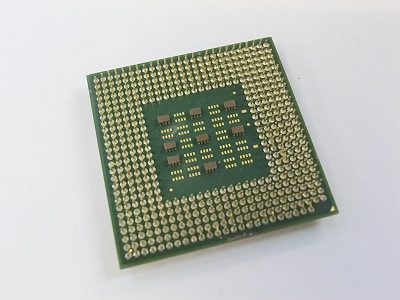
Back of the CPU.
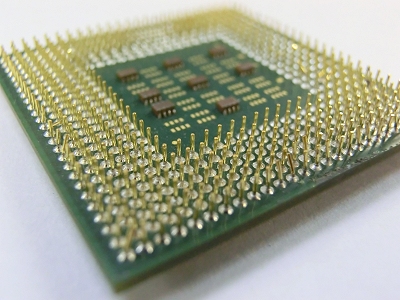
There are numerous protrusions resembling a pinholder.
Even the largest CPUs are only about 5cm on a side, so they are relatively small components.
Because we buy CPUs as scrap, we can consider CPUs with bent pins, missing parts, or CPUs that no longer operate due to heat damage.
# We also have a Transmeta Crusoe CPU.
CPUs are often sorted into groups such as ceramic and plastic types, and pricing varies by classification. For details on CPU sorting, please see the CPU Classifications page.
Intel Pentium Cpus
Pentium is Intel’s 32-bit microprocessor line introduced as the successor to the Intel 486. It has been produced since around 1993, before the release of Windows 95.
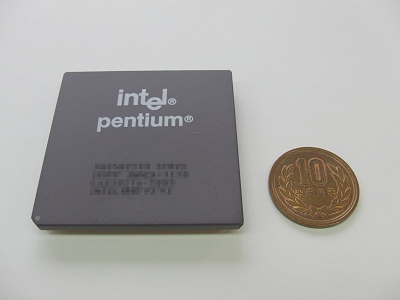
Look at this majestic figure!
This is a Pentium!!! !!!
The “Pentium” name continued with many generations, including Pentium Pro, MMX Pentium, Pentium II, Pentium III, Pentium 4, Pentium D, Pentium M, Pentium Dual Core, and more. Even though early models may still power on, they are generally not practical for modern use. In many cases, they are kept as a collectible item, or recycled as scrap metal as we do.
Motherboards
The main circuit board of a computer is commonly called the motherboard.
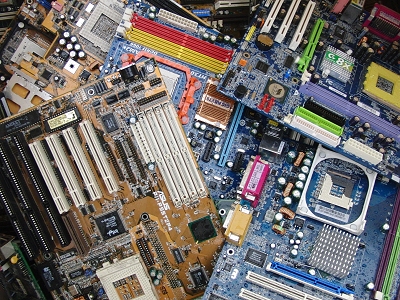
Motherboard
This board connects the CPU, memory, expansion cards, storage devices, power supply, and other components that make up the PC. Common motherboard manufacturers include ASUS, GIGABYTE, AOpen, MSI, abit, ECS, Albatron, Jetway, and ASRock.
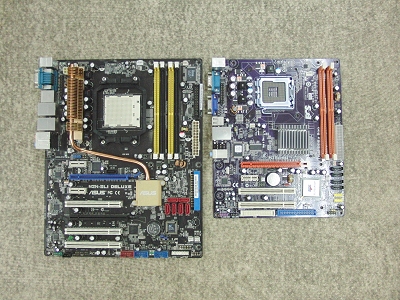
Motherboard
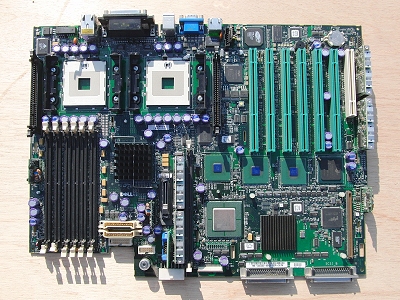
Server motherboard
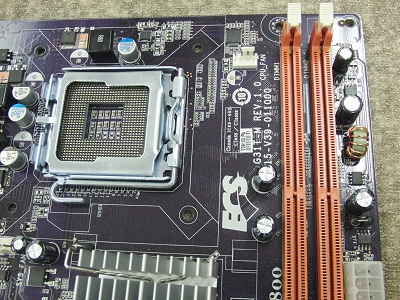
The CPU socket (LGA775) is on the left, and the orange one on the right is the memory socket (DDR2).
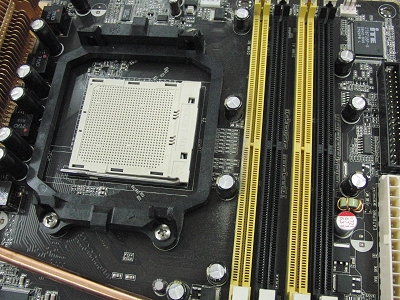
The CPU socket (Socket AM2) is on the left, and the yellow one on the right is the memory socket (DDR2).
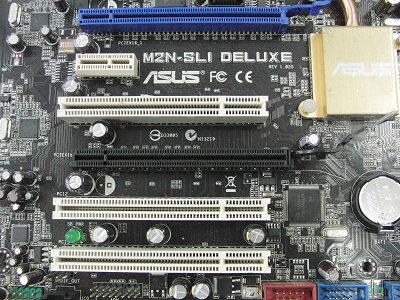
PCI and PCI Express slots for expansion cards.
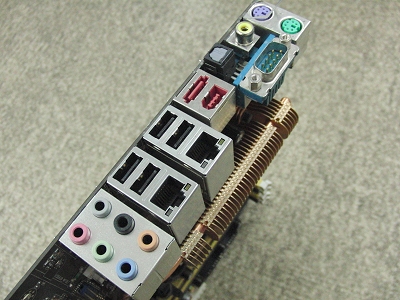
The connectors on the back of the computer when assembled.
Motherboards vary in size depending on the computer’s form factor.
Because we buy motherboards as scrap, we can also consider boards that no longer boot (for example, missing BIOS), have damaged sockets, or have bulging capacitors.
For more information on motherboards, please see the motherboard page.
# Personally, I prefer MSI.
Memory Modules
Memory temporarily stores information and clears when power is turned off. Its key feature is fast access speed.
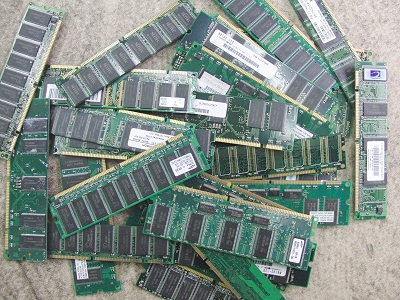
Memory: A small board with a long side of approximately 13cm
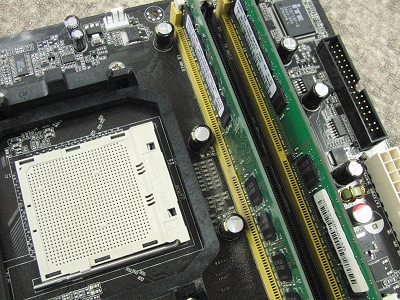
Two memory modules inserted into the motherboard
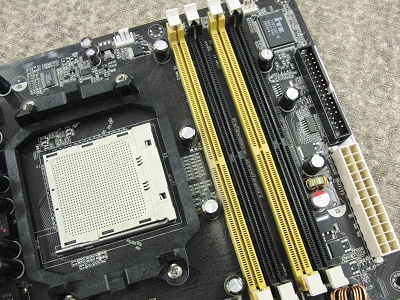
Open the white levers on both ends to remove the memory modules.
Both laptop memory (smaller) and desktop memory (larger) are used.
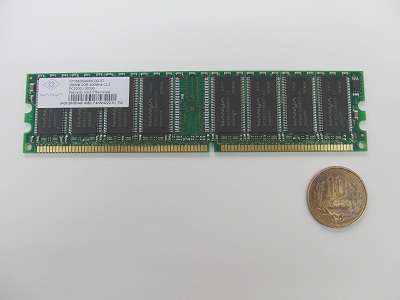
Desktop memory (small green board)
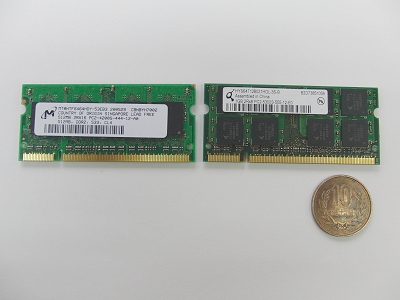
Laptop memory modules
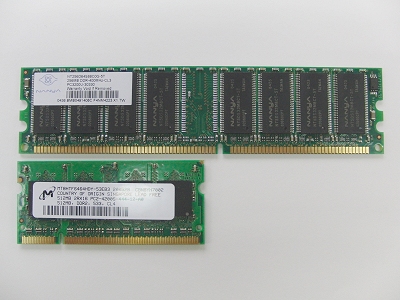
Size comparison
Types include SIMM, SDR, RIMM, DDR, DDR2, DDR3, and DDR4.
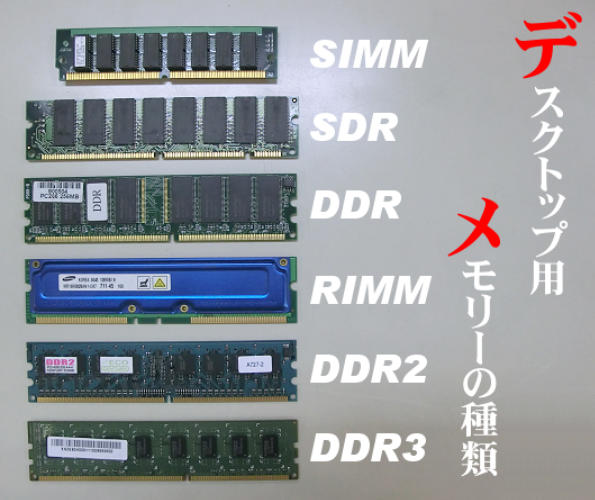
Types of desktop memory
Because we buy memory as scrap, we can also consider memory modules that fail testing or are defective.
However, items with no DRAM chips (non-surface-mounted components) like the example below are not purchased as memory. In addition, some cards with very few chips or stacked IC configurations may not be accepted as memory.
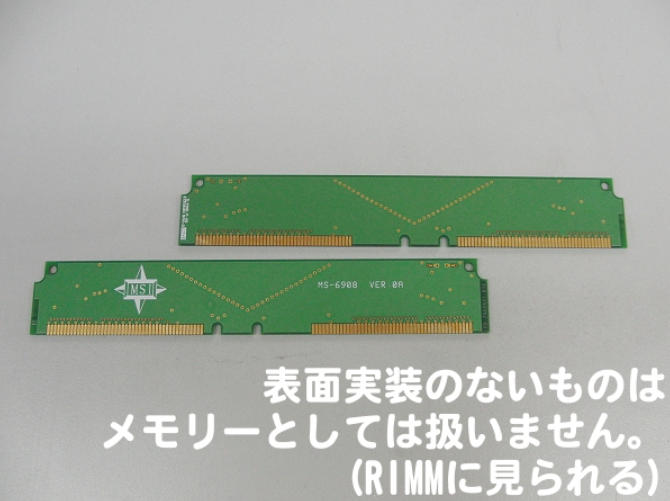
Non-surface-mounted memory
This is often seen in RIMMs (also known as CRIMMs).
Since the purpose is metal recovery (such as gold), cards with very few ICs, as shown in the photo, may not be purchased as memory.
# Nowadays, large-capacity memory cards can be purchased for several thousand yen, but in the past, they were scarce and expensive.
Expansion Cards
An expansion card is a board that plugs into the motherboard to add functionality.
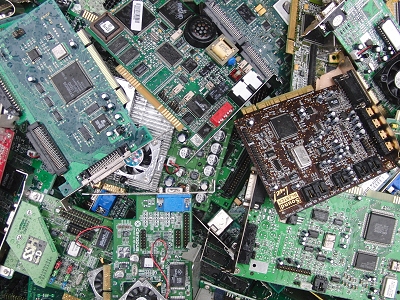
Expansion card
There are many types, including video cards (graphics processing) and sound cards (audio output).
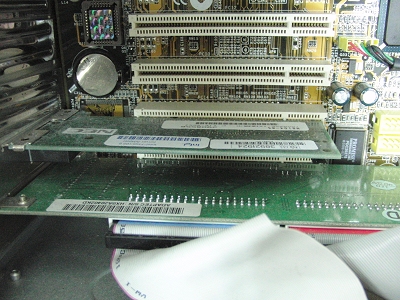
Inserted into a PCI or PCI Express slot on the motherboard
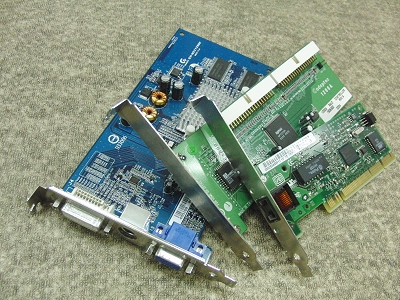
Removed
There are several types of slots, including ISA, PCI, AGP, and PCI-E (x1, x4, x8, x16).
Because we buy these cards as scrap, we can also consider older expansion cards or cards with issues such as bulging capacitors.
# There was also something called a C-bus for PC-98 expansion.
However, boards like the one below that sit between the motherboard and an expansion card (daughter boards, riser cards) are not treated as expansion cards.
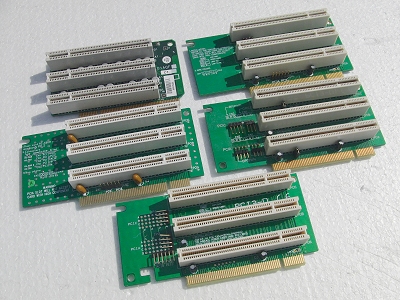
Daughter boards, riser cards
Daughter boards are often used in slim desktop computers.
Hard Disk Drives
A hard disk drive (HDD), also called a fixed disk, is long-term storage. Unlike memory, data remains even when power is removed. Operating systems, emails, and stored photos are typically saved on the hard drive.
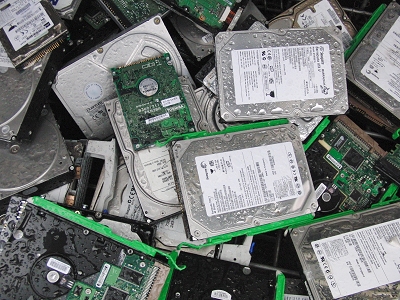
Hard disk
Like memory, there are larger desktop HDDs and smaller laptop HDDs. These are commonly referred to as 3.5-inch and 2.5-inch hard drives.
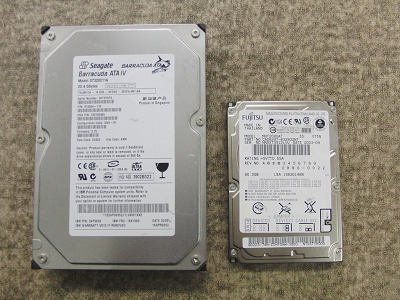
(Left) Desktop hard drive, (Right) Laptop hard drive
Connection formats include IDE (older) and SATA (current).
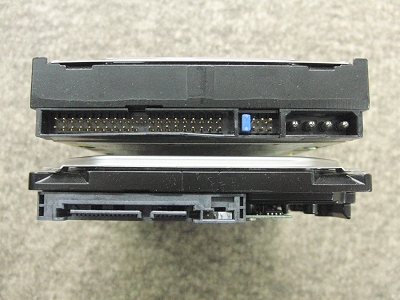
Top: IDE, bottom: SATA
SSDs (Solid State Drives) are increasingly common, but HDDs are still widely used in many settings.
Because we buy HDDs as scrap, we can also consider drives that are low capacity, have bad sectors, do not power on, do not spin, or make unusual noise. Please ensure all data is erased or made unreadable (for example, by drilling holes for physical destruction).
However, even if you physically destroy the HDD, please keep the circuit board on the back of the HDD attached (drilled holes are fine).
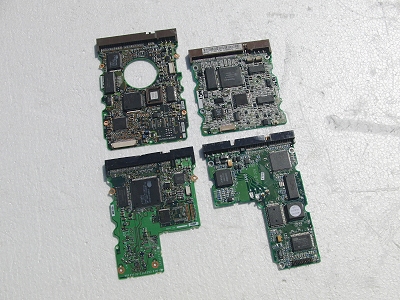
Hard disk circuit board
This circuit board is an important part of the scrap value (it contains recoverable metals).
For more information on hard disks, please see the HDD (Hard Disk) page.
# Like memory, hard disks used to be expensive.
Optical Drives
An optical drive reads and writes discs such as CDs, DVDs, and Blu-ray.
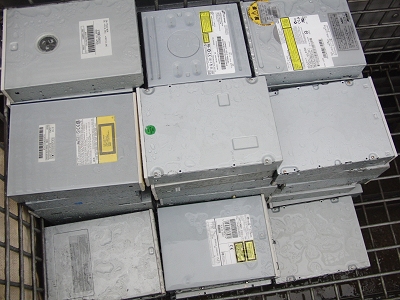
Optical drive
Press the eject button to open the tray. Insert the disc, close the tray, and the drive will read the media.
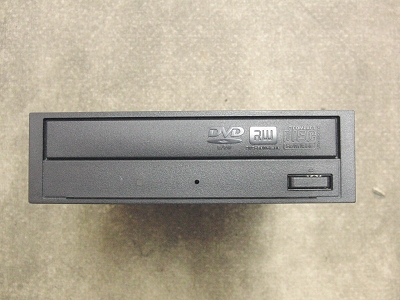
Front of the optical drive
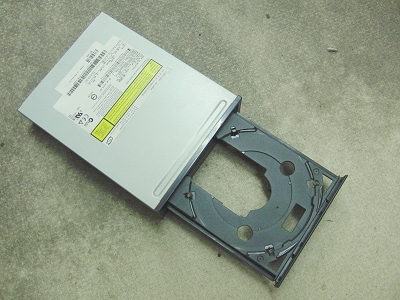
Press the eject button while the power is on to eject the tray.
There are desktop optical drives (thicker) and laptop optical drives (thin/slim).
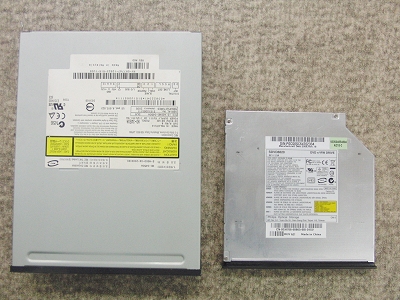
(Left) Desktop, (Right) Laptop
Like hard drives, connection formats include IDE (older) and SATA (current).
Because we buy optical drives as scrap, we can also consider drives with reading issues or units that will not power on.
# The hole in the tray is not for placing coffee in a paper cup.
Internal Power Supplies
An internal power supply takes power from the outlet and distributes it to the motherboard and other components. Because the internal temperature can become high, most units include a fan for cooling.
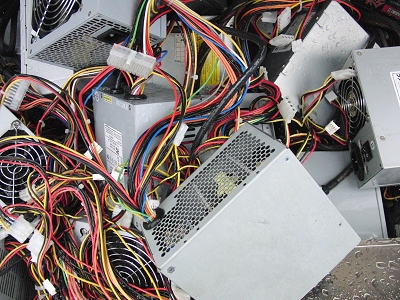
Built-in Power Supply
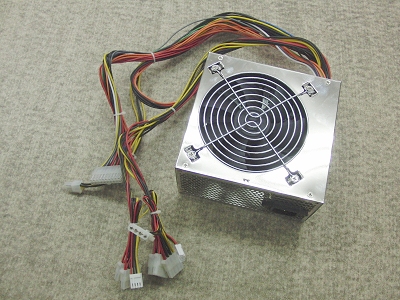
Built-in Power Supply
Desktop computers use internal power supplies in different sizes depending on the case. Laptops generally do not have an internal power supply and instead use an external AC adapter.
Because we buy these as scrap, we can also consider internal power supplies that are unstable or will not turn on.
# Modern built-in power supplies are designed to be energy-efficient.
Lithium-Ion and Nickel-Metal Hydride Batteries
These batteries are used in PCs, especially laptops.
Ohata Shoji purchases some.
However, there are strict conditions for purchasing lithium-ion and nickel-metal-hydride batteries.
For details on available batteries, see Lithium-ion Batteries or Nickel-metal-hydride Batteries.
UPS Units
A UPS (uninterruptible power supply) is a backup power device that contains rechargeable batteries, typically sealed batteries that are kept charged. During a power outage, a UPS provides enough backup power to shut down systems safely and help prevent sudden shutdowns of computers or servers.
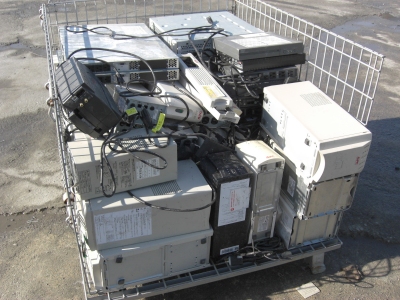
UPS (Uninterruptible Power Supply)
For more information on UPSs, please see About UPS (Uninterruptible Power Supply).
Because we buy UPS units as scrap, we can also consider units that are worn out and no longer usable.
# I guess there aren't many individuals who use UPSs...